Created at 12/08/2019 20:27
Photoshop application date ui
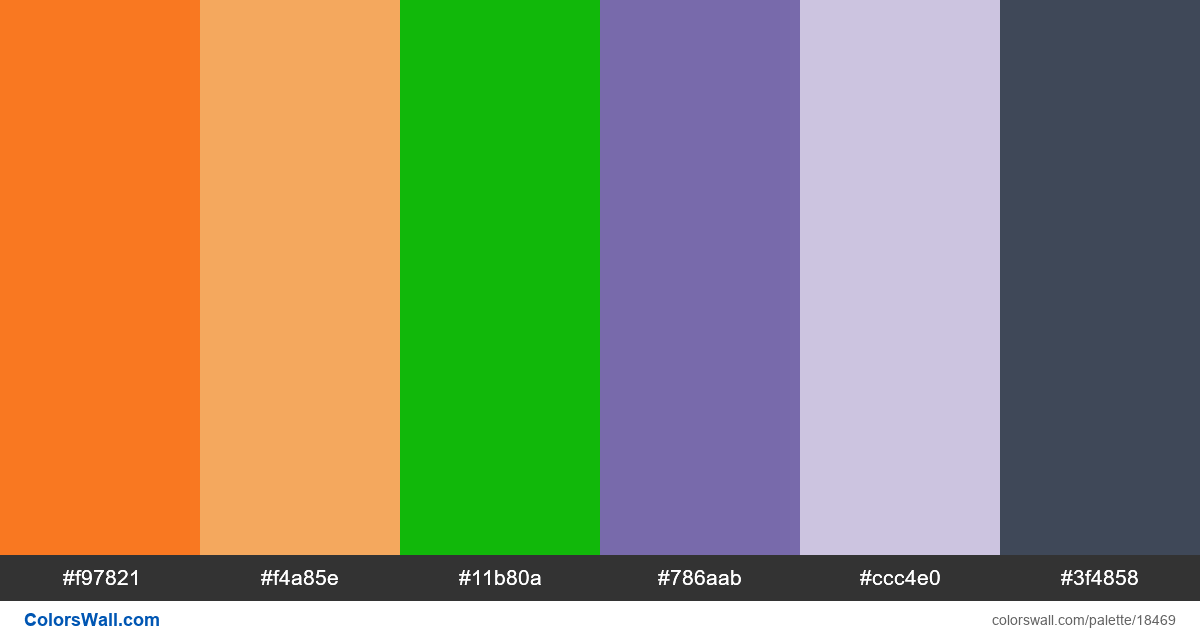
- #f97821
- #f4a85e
- #11b80a
- #786aab
- #ccc4e0
- #3f4858
The palette consists of Light colors. Accent colors #f97821 and #ccc4e0. Palette has Warm, Cool colors temperature.
By lightness, this palette runs from #3F4858 (darkest) to #CCC4E0 (lightest). The lightness range is moderate.
Saturation is mixed — some muted swatches and some vivid accents.
Some hue pairs sit near complementary positions — you may read this as complementary contrast (loose heuristic).
Warm and cool swatches are fairly balanced.
HEX codes (sorted): #11B80A, #3F4858, #786AAB, #CCC4E0, #F4A85E, #F97821
Palette Photoshop application date ui has combination of 6 codes colors:
HEX: #f97821, RGB: (249, 120, 33); HEX: #f4a85e, RGB: (244, 168, 94); HEX: #11b80a, RGB: (17, 184, 10)
HEX: #786aab, RGB: (120, 106, 171); HEX: #ccc4e0, RGB: (204, 196, 224); HEX: #3f4858, RGB: (63, 72, 88)
Simplified version of palette colors
Tint of coral, Shade of sandybrown, Tint of limegreen, Tint of mediumpurple, Shade of thistle, Tint of darkslateblue
Color scheme was created by colorswall
Colors codes in palette
Photoshop application date ui color codes HEX, RGB information in table
Color Palette Contrast
9 color pairs have low contrast and need improvement which may impact readability.
| Text Color | Background Color | Contrast Ratio |
#f97821 | #f4a85e | 1.37 |
#f97821 | #11b80a | 1.01 |
#f97821 | #786aab | 1.73 |
#f97821 | #ccc4e0 | 1.62 |
#f4a85e | #11b80a | 1.34 |
#f4a85e | #ccc4e0 | 1.18 |
Image palette Photoshop application date ui png
Export Palette
Download the "Photoshop application date ui" in multiple formats for seamless integration into your design projects.
Available formats:
