Loading...
Created at 08/15/2022 21:35
Course ui brand identity user experience colors
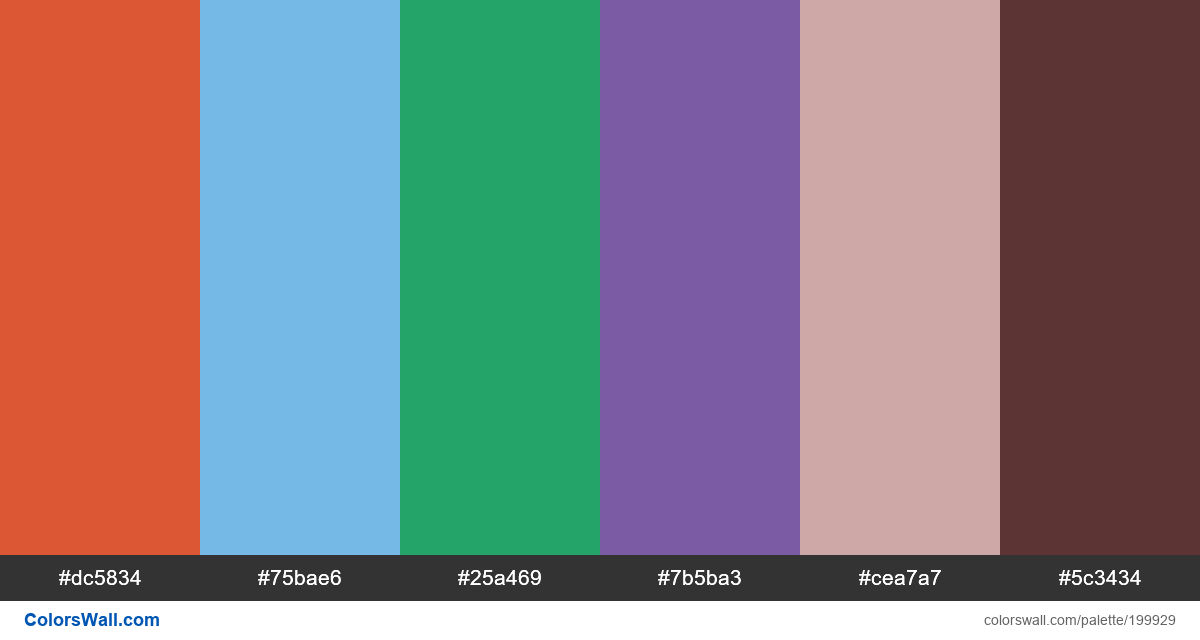
- Inferno#dc5834
- Aero#75bae6
- Green (Crayola)#25a469
- Royal Purple#7b5ba3
- Silver Pink#cea7a7
- Royal Brown#5c3434
The palette consists of Light colors. Accent colors Inferno #dc5834 and Aero #75bae6. Palette has Warm, Cool, Neutral colors temperature.
By lightness, this palette runs from #5C3434 (darkest) to #CEA7A7 (lightest). The lightness range is moderate.
Saturation is mixed — some muted swatches and some vivid accents.
Some hue pairs sit near complementary positions — you may read this as complementary contrast (loose heuristic).
Overall temperature among swatches leans cool.
HEX codes (sorted): #25A469, #5C3434, #75BAE6, #7B5BA3, #CEA7A7, #DC5834
Palette Course ui brand identity user experience colors has combination of 6 codes colors:
HEX: #dc5834, RGB: (220, 88, 52); HEX: #75bae6, RGB: (117, 186, 230); HEX: #25a469, RGB: (37, 164, 105)
HEX: #7b5ba3, RGB: (123, 91, 163); HEX: #cea7a7, RGB: (206, 167, 167); HEX: #5c3434, RGB: (92, 52, 52)
Simplified version of palette colors
Shade of orangered, Tint of lightskyblue, Tint of mediumseagreen, Shade of slateblue, Shade of rosybrown, Shade of Maroon
Color scheme was created by colorswall
Colors codes in palette
Course ui brand identity user experience colors color codes HEX, RGB information in table
| Color | HEX | RGB | Name | Alternative name |
| #dc5834 | #dc5834 | RGB(220, 88, 52) | Inferno | — |
| #75bae6 | #75bae6 | RGB(117, 186, 230) | Aero | — |
| #25a469 | #25a469 | RGB(37, 164, 105) | Green (Crayola) | — |
| #7b5ba3 | #7b5ba3 | RGB(123, 91, 163) | Royal Purple | — |
| #cea7a7 | #cea7a7 | RGB(206, 167, 167) | Silver Pink | — |
| #5c3434 | #5c3434 | RGB(92, 52, 52) | Royal Brown | — |
Color Palette Contrast
9 color pairs have low contrast and need improvement which may impact readability.
| Text Color | Background Color | Contrast Ratio |
#dc5834 | #75bae6 | 1.8 |
#dc5834 | #25a469 | 1.2 |
#dc5834 | #7b5ba3 | 1.41 |
#dc5834 | #cea7a7 | 1.76 |
#75bae6 | #25a469 | 1.5 |
#75bae6 | #cea7a7 | 1.02 |
Image palette Course ui brand identity user experience colors png
Export Palette
Download the "Course ui brand identity user experience colors" in multiple formats for seamless integration into your design projects.
Available formats: